Proxy Settings
Proxy Settings
This page explains how to configure ailia DX Insight when using it in a proxy environment.
Note that in ailia DX Insight 1.5.0, the proxy cannot be enabled via environment variables (such as HTTP_PROXY). Please enable the proxy from the OS settings.
Configuration on Windows
On Windows, the proxy address is detected from the Windows Settings, and whether the proxy is enabled or disabled is detected from netsh.
Therefore, you need to enable the proxy in both the Windows Settings and netsh.
How to enable the proxy
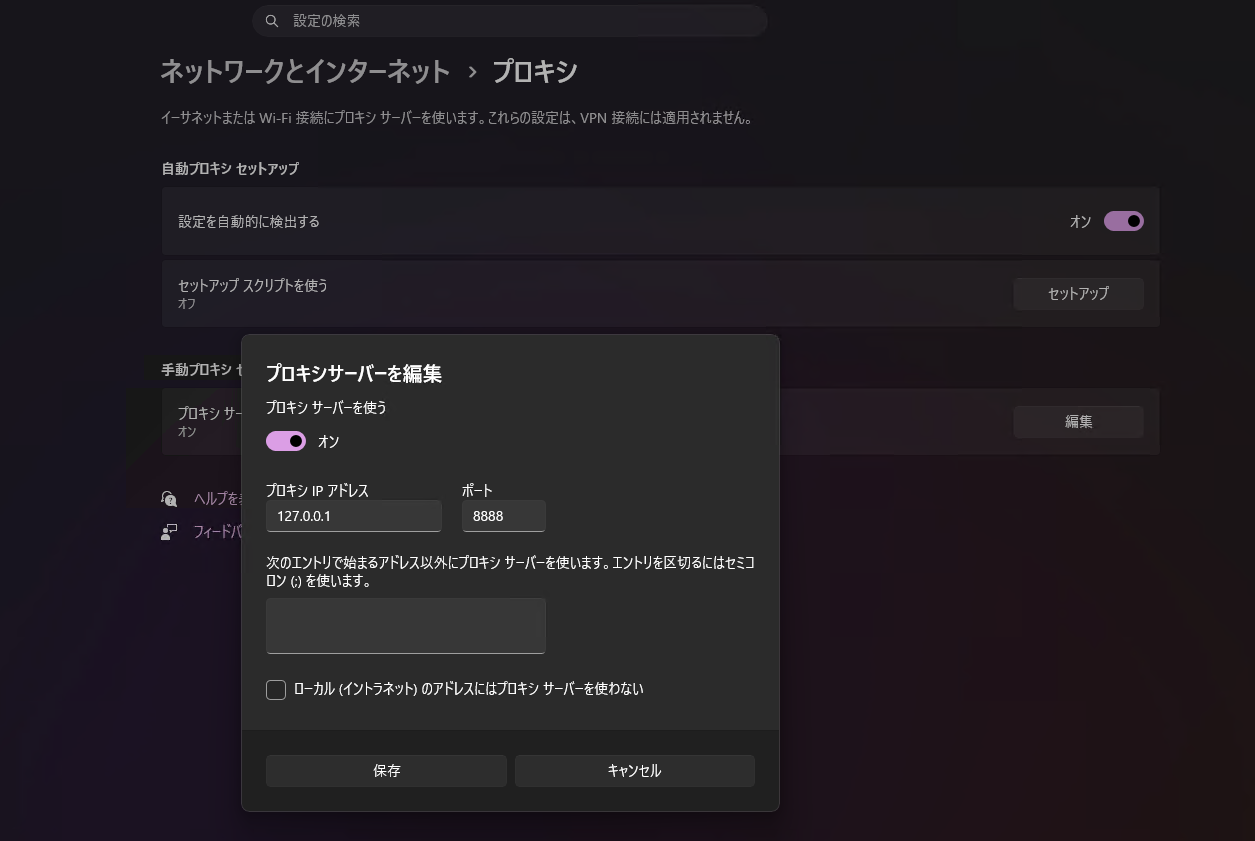
In Windows Settings, go to "Network & internet > Proxy", turn on "Use a proxy server", and set the proxy IP address and port.
From an administrator PowerShell console, import the proxy settings to enable them.
netsh winhttp import proxy source=ieYou can check the current WinHTTP proxy settings with the following command.
netsh winhttp show proxy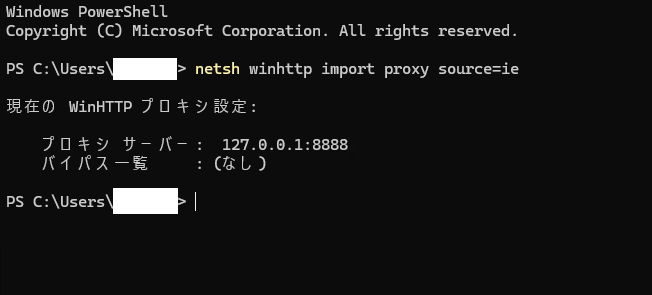
How to disable the proxy
In Windows Settings, go to "Network & internet > Proxy" and turn off "Use a proxy server".
From an administrator PowerShell console, disable the proxy.
netsh winhttp reset proxy
Configuration on macOS
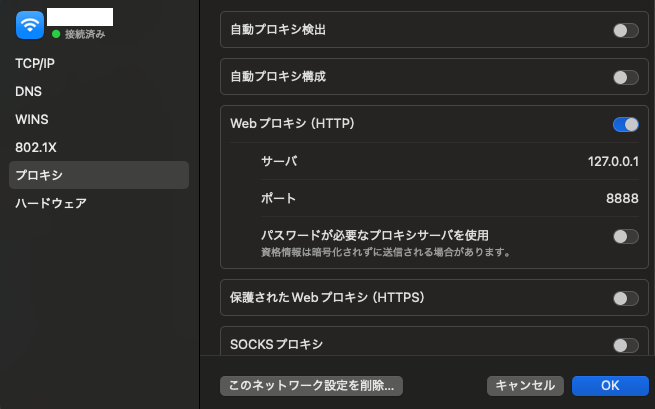
On macOS, go to "System Settings > Network > (your active Wi-Fi/Ethernet) > Details > Proxies", turn on "Web proxy (HTTP)", and set the proxy server and port.
Since proxy settings are stored per network service (interface), please configure them for the currently active connection.